Table of Contents
- Introduction
- When You Need a Full SEO Site Audit
- The 15-Issue SEO Site Audit Checklist, Ranked by Impact
- 1. Blocked crawl paths and robots.txt errors
- 2. Indexation errors in the Search Console Pages report
- 3. XML sitemap accuracy
- 4. Core Web Vitals and page speed
- 5. Mobile usability
- 6. Duplicate content and canonicalization
- 7. Broken internal links and redirect chains
- 8. Orphan pages and internal link depth
- 9. Crawl budget waste from parameter and faceted URLs
- 10. HTTPS and mixed-content errors
- 11. Metadata gaps: titles, descriptions, and headings
- 12. Structured data validity and coverage
- 13. International and hreflang configuration
- 14. Pagination and canonical handling on archives
- 15. Log file and crawl-stat analysis
- Ranking the fixes: what the sequence buys an agency
- Common Mistakes That Undermine a Site Audit
- Summary Table: 15 Audit Issues, Impact, and Expected Outcome
- Conclusion
- Frequently Asked Questions
- How often should an agency run an SEO site audit?
- What is the difference between a technical SEO checklist and a website health audit?
- Which audit issue should be fixed first?
- Do AI crawlers need separate robots.txt rules from Googlebot?
- How many issues should a healthy site have?
- Call to Action
- Sources
Introduction
Google's own documentation is unambiguous on the sequence: a URL must be crawled, then indexed, before it can rank at all (Google Search Central). A single disallowed path in robots.txt or a stray noindex directive removes a page from search entirely, regardless of how well it is written. No ranking factor compensates for a page that never enters the index.
That reality collides with agency economics. A team managing twenty client domains will typically surface several hundred audit warnings in a single crawl, and triaging all of them is not a strategy — it is a queue that never empties. The operative question is narrower: which fifteen issues move rankings and traffic first?
This SEO site audit checklist answers that question. It ranks fifteen issues by impact, from crawl-blocking failures down to structured-data polish, and pairs each with a verification step so the fix can be proven, not assumed.
Alef approaches the same problem from the platform side. Its Site Health audit evaluates technical, SEO, and answer-readiness signals across a domain and ranks the findings by impact — the identical prioritization logic this checklist applies manually.
Prerequisites are modest: Google Search Console access, a crawler, and CMS-level control over templates and metadata. A first full pass runs roughly six to ten hours at intermediate skill level.
When You Need a Full SEO Site Audit
A full 15-issue pass is not a monthly ritual. It is a diagnostic response to specific signals, and agencies that run it on a fixed schedule regardless of evidence burn hours that could go to remediation.
Four triggers justify the full checklist:
- Indexation is stalling. In Search Console, a rising share of URLs sitting in "Discovered – currently not indexed" or "Crawled – currently not indexed" signals a technical ceiling, not a content gap. The Page indexing report is the first place to confirm it.
- A migration, redesign, or domain move has landed. These events invalidate the XML sitemap and the internal link graph, breaking the crawl paths Googlebot and AI crawlers both depend on. Rebuilding the sitemap is step one, not the whole job.
- Rankings exist but AI citations do not. A domain can rank in Google and still never surface in ChatGPT, Perplexity, or AI Overviews for the same intent — a different surface with different signals.
- A new client domain is onboarding. A defensible baseline must precede any retainer scope.
The counterweight matters: a small, stable, fully indexed site with clean Core Web Vitals needs only a quarterly spot check. And because findings must be reproducible across many domains, the checklist has to be templated rather than bespoke — the same discipline behind tracking SEO performance across multiple clients.
The 15-Issue SEO Site Audit Checklist, Ranked by Impact
An audit that returns 400 findings is not an audit; it is a backlog. The value of a site audit lies in sequencing, because a page that cannot be crawled will never benefit from a rewritten title tag, and a page that returns a 404 will never benefit from structured data. The checklist below orders 15 issues by the damage they cause when left unresolved, moving from crawl-blocking and indexation failures through duplication, link architecture, and metadata, down to structured-data polish. For agencies running this process across a portfolio of client domains, the sequence matters twice over: it determines what gets fixed this sprint and what gets deferred to the next.
Each item states what to check, how to verify it, and what a passing result looks like.
1. Blocked crawl paths and robots.txt errors
Verify that robots.txt permits every directory that should rank, that no template carries an accidental noindex directive, and that the sitemap is reachable from the file.
A single stray Disallow: line can remove an entire section from the index without a single error appearing in a rank-tracking dashboard. The failure mode is usually mundane: a staging rule pushed to production, a leftover Disallow: /search that also matches /search-engine-optimization, or a wildcard pattern that catches more than intended. Because robots.txt is evaluated by prefix and wildcard matching rather than by exact path, an over-broad rule is easy to write and hard to notice.
Verification steps:
- Fetch
https://domain.com/robots.txtand confirm it returns a 200 status withtext/plaincontent type. - Confirm the file does not disallow CSS, JavaScript, or image directories. Google renders pages before indexing, and blocked resources prevent accurate rendering.
- Check that the
Sitemap:directive points to the canonical sitemap URL over HTTPS. - Cross-reference every
Disallowpath against the site's actual URL structure to catch wildcard overreach. - Inspect the
<head>of each page template for<meta name="robots" content="noindex">. Template-level noindex is the most common cause of a section-wide deindexation.
A passing result: robots.txt returns 200, blocks only genuinely private paths (cart, checkout, internal search results), references the sitemap, and no indexable template carries a noindex directive.
2. Indexation errors in the Search Console Pages report
Triage the "Excluded" and "Error" reasons by URL volume, separating legitimate exclusions from genuine failures.
The Pages report in Google Search Console groups URLs by status, and the two categories that matter most are "Not indexed" and "Indexed, though blocked by robots.txt." The report's own documentation explains how each status is derived and what action, if any, it requires (Google Search Central — Page indexing report). The trap is treating every excluded URL as a problem. Many are correct outcomes.
Sort the excluded URLs into two buckets:
Legitimate exclusions — no action required:
- "Alternate page with proper canonical tag" — the duplicate correctly points elsewhere.
- "Excluded by 'noindex' tag" — utility pages, thank-you pages, and internal search results that should not rank.
- "Page with redirect" — intentional 301s consolidating old URLs.
Genuine failures — action required:
- "Soft 404" — a page returns 200 but serves empty or error-like content. High volumes here usually indicate a template rendering an empty state for deleted records.
- "Server error (5xx)" — crawl-time failures that suppress indexing entirely.
- "Discovered — currently not indexed" at scale — Google knows the URL but has chosen not to crawl it, often a signal of thin content or crawl-budget starvation.
- "Crawled — currently not indexed" — Google crawled the page and declined to index it. This is a content-quality signal, not a technical one.
For an agency, the practical move is to export the Pages report to a spreadsheet, group by reason, and sort by URL count descending. The largest bucket of genuine failures is where the next sprint goes. A client with 12,000 soft 404s from a discontinued product line has a different problem than one with 40 server errors on a checkout flow.
3. XML sitemap accuracy
Confirm the sitemap lists only canonical, indexable, 200-status URLs, and that it is referenced in robots.txt.
A sitemap is a crawl instruction, not a wish list. When it contains redirects, noindex pages, or 404s, it actively wastes crawl budget — Googlebot spends requests on URLs that cannot be indexed and arrives at the pages that matter with less capacity. Google's own guidance is explicit that sitemaps should contain only canonical URLs that return 200 (Google Search Central — Build and submit a sitemap).
Audit the sitemap against four criteria:
| Check | Passing state | Common failure |
|---|---|---|
| Status codes | Every URL returns 200 | Redirects or 404s included |
| Canonical alignment | Sitemap URL matches the page's canonical tag | Non-canonical variant listed |
| Indexability | No noindex pages present | Utility pages included |
| Freshness | lastmod reflects real content changes | Static or fabricated dates |
The lastmod field deserves particular attention. If every URL in a 5,000-page sitemap carries the same date, the signal is worthless and Google may ignore it entirely. For sites with large or frequently changing inventories, sitemap hygiene is a recurring maintenance task rather than a one-time fix; the mechanics of keeping sitemap generation aligned with canonical output are covered in this guide to sitemap optimization for crawl efficiency.
A passing result: the sitemap contains only indexable, canonical, 200-status URLs; it is referenced in robots.txt; and lastmod values are accurate.
4. Core Web Vitals and page speed
Measure LCP, INP, and CLS against Google's documented thresholds using field data at the 75th percentile.
Google's thresholds are unambiguous: Largest Contentful Paint under 2.5 seconds, Interaction to Next Paint under 200 milliseconds, and Cumulative Layout Shift under 0.1 (Google Search Central — Core Web Vitals and page experience). Critically, these are assessed at the 75th percentile of real-user field data, not lab data. A page that scores perfectly in a synthetic test can still fail in the field if a quarter of real visitors on mid-range Android devices experience a 4-second LCP.
INP replaced First Input Delay as the responsiveness metric in March 2024, and the change is not cosmetic. FID measured only the delay before the browser began processing the first interaction. INP measures the full latency of every interaction on the page, from input to the next painted frame (web.dev — Interaction to Next Paint (INP)). Sites that passed FID comfortably often fail INP, because long tasks triggered by third-party scripts — chat widgets, tag managers, consent banners — block the main thread during interactions that FID never observed.
Diagnostic sequence:
- Open the Core Web Vitals report in Search Console and identify URL groups failing at the 75th percentile.
- Cross-reference with the CrUX dashboard to confirm the failure is field-wide rather than device-specific.
- For LCP failures, identify the largest element (usually a hero image or H1) and check whether it is lazy-loaded, served in a modern format, and preloaded.
- For INP failures, audit third-party script execution and break up long tasks.
- For CLS failures, reserve space for images, ads, and embeds with explicit width and height attributes.
A passing result: all three metrics pass at the 75th percentile in field data across mobile and desktop.
5. Mobile usability
Check viewport configuration, tap-target spacing, font legibility, and horizontal overflow.
Google indexes the mobile rendering of a page first. If content is hidden on mobile — collapsed behind an accordion that does not render, or pushed off-screen by a fixed-width element — it may not be indexed at all, regardless of what the desktop version displays.
The four checks that catch most mobile failures:
- Viewport meta tag. Confirm
<meta name="viewport" content="width=device-width, initial-scale=1">is present on every template. A missing or malformed viewport tag forces desktop-width rendering on mobile devices. - Tap-target spacing. Interactive elements should be at least 48 pixels apart to prevent mis-taps. Navigation menus with tightly packed links are the usual offender.
- Font legibility. Base body text below 16 pixels forces zooming on mobile, which increases bounce and reduces engagement signals.
- Horizontal overflow. Content wider than the viewport creates a horizontal scrollbar. This typically stems from fixed-width tables, unconstrained images, or absolutely positioned elements.
A passing result: every template renders without horizontal scroll, all interactive elements meet minimum tap-target spacing, and no primary content is hidden from the mobile rendering.
6. Duplicate content and canonicalization
Identify near-duplicate URL clusters and confirm each cluster resolves to a single self-referencing canonical.
Duplicate content rarely arrives as two identical pages. It arrives as the same page reachable through four URLs: with and without a trailing slash, over HTTP and HTTPS, with and without tracking parameters, and with and without a www prefix. Each variant is a separate URL as far as a crawler is concerned, and without consolidation, ranking signals split across the cluster.
Common duplication sources to audit:
- Parameter strings. Faceted navigation, session IDs, and tracking parameters (
?utm_source=,?ref=,?sort=) generate infinite URL permutations from finite content. - Trailing slash inconsistency.
/servicesand/services/should not both return 200. - Protocol and hostname variants.
http://,https://,www., and non-wwwversions must consolidate to one canonical host. - Paginated archives. Category and blog pagination creates near-duplicate listings; each page should self-canonicalize, not point to page one.
- Printer-friendly or AMP variants. Legacy implementations often leave orphaned duplicates behind.
The fix is a self-referencing canonical tag on every indexable page, plus 301 redirects from non-canonical variants to the canonical URL. A self-referencing canonical — where a page declares itself canonical — is the strongest signal available and prevents accidental cross-canonicalization when templates are reused.
A passing result: each content cluster resolves to one canonical URL, every indexable page carries a self-referencing canonical, and non-canonical variants 301 to the canonical.
7. Broken internal links and redirect chains
Crawl for 404s and 301 chains longer than one hop.
Every redirect hop dilutes link equity and consumes crawl budget. A chain of A → B → C → D passes less authority to the destination than a direct A → D, and each intermediate hop is a separate request Googlebot must make. Chains accumulate over time as sites migrate, rename sections, and retire products without updating the redirect map.
The audit has two parts:
Broken internal links. Crawl the site and collect every internal link returning a 404. Each one is a dead end that wastes crawl budget and, if it appears in navigation or a high-traffic template, degrades user experience across thousands of pages. Fix by updating the link to the live destination or removing it.
Redirect chains. Collect every URL that returns a 3xx and follow it to the terminal destination. Flag any chain longer than one hop. The remediation is to collapse the chain: point the original URL directly at the final destination and remove the intermediate redirects.
A related failure is the redirect loop, where A → B → A. Loops return an error to the crawler and are usually the product of two conflicting redirect rules. They should be treated as urgent, since the affected URLs are effectively unreachable.
A passing result: zero internal 404s, zero redirect loops, and every redirect resolves in a single hop.
8. Orphan pages and internal link depth
Find pages with zero internal inbound links and pages more than three clicks from the homepage.
An orphan page is a URL that exists in the sitemap but receives no internal links from anywhere on the site. Google can discover it through the sitemap, but with no internal link equity flowing to it, it competes for ranking with no authority behind it. Orphan pages are frequently high-value content — legacy landing pages, resource articles, and product pages that lost their navigation entry during a redesign.
Link depth is the related metric. Pages within three clicks of the homepage receive the most crawl attention; pages beyond that threshold are crawled less frequently and less reliably. On large sites, deep pages can go weeks between crawls.
How to find both:
- Crawl the site and build a link graph. Any URL in the sitemap with zero inbound internal links is an orphan.
- Calculate click depth from the homepage for every URL. Flag anything at depth four or greater.
- Prioritize orphans and deep pages by organic traffic and conversion value, then add contextual internal links from relevant, higher-authority pages.
A passing result: no orphan pages in the sitemap, and all commercially important pages sit within three clicks of the homepage.
9. Crawl budget waste from parameter and faceted URLs
Quantify how much crawl activity is spent on URLs that cannot rank.
On e-commerce and large content sites, faceted navigation can generate millions of URL permutations from a few thousand products. Googlebot will crawl a meaningful share of them, and every request spent on a ?color=blue&size=medium&sort=price variant is a request not spent on a page that can rank.
Signals that crawl budget is being wasted:
- Search Console crawl stats show a high volume of requests to parameterized URLs.
- The "Crawled — currently not indexed" bucket is large and dominated by faceted URLs.
- Indexed page counts far exceed the number of unique content pages.
Remediation options, in order of preference:
- Block with robots.txt for parameter patterns that never need to rank, such as sort and filter combinations.
- Canonicalize faceted URLs to the base category page where the facet content is not unique.
- Use
noindexon facet combinations that should be crawlable but not indexed. - Control internal linking so crawlers cannot reach infinite facet permutations through the interface.
A passing result: crawl stats show the majority of Googlebot requests landing on canonical, indexable content URLs.
10. HTTPS and mixed-content errors
Confirm every page loads over HTTPS with no insecure subresources.
HTTPS has been a confirmed ranking signal since 2014, but the more damaging failure is mixed content: an HTTPS page that loads images, scripts, or stylesheets over HTTP. Browsers block or warn on mixed content, which breaks rendering and can prevent Google from rendering the page correctly.
Checks:
- Every internal link uses
https://, nothttp://. - No hardcoded
http://references in imagesrc, scriptsrc, or stylesheethrefattributes. - The SSL certificate is valid, unexpired, and covers all subdomains in use.
- HSTS headers are configured to enforce HTTPS on repeat visits.
http://variants 301 redirect tohttps://in a single hop.
A passing result: the browser console shows zero mixed-content warnings and every internal link resolves over HTTPS.
11. Metadata gaps: titles, descriptions, and headings
Audit title tags, meta descriptions, and H1 headings for presence, uniqueness, and length.
Metadata is lower in impact than crawl or indexation failures, but it is the layer that determines click-through rate once a page ranks. The audit checks three elements:
- Title tags. Every indexable page should have a unique title between roughly 50 and 60 characters. Duplicate titles across a template signal to Google that the pages are interchangeable. Missing titles force Google to generate one from page content, which is rarely optimal.
- Meta descriptions. Not a ranking factor, but a click-through factor. Missing or duplicated descriptions across hundreds of pages suppress click-through rate uniformly.
- H1 headings. Each page should carry exactly one H1 that reflects the page's primary topic. Multiple H1s or a missing H1 weakens topical clarity.
A practical approach for agencies: export all titles and descriptions from a crawl, sort by frequency, and identify duplicates. A title appearing on 4,000 pages is a template problem, not a page problem, and fixing the template resolves all 4,000 at once.
A passing result: every indexable page has a unique title, a unique meta description, and a single descriptive H1.
12. Structured data validity and coverage
Validate JSON-LD markup and confirm it matches visible page content.
Structured data influences how pages appear in search results and, increasingly, how they are parsed by AI answer engines. Invalid markup is ignored, and markup that contradicts visible content can trigger a manual action.
Checks:
- Validate every structured-data type against the Schema.org vocabulary and Google's rich-result requirements.
- Confirm required properties are present for each type —
Article,Product,FAQPage,BreadcrumbList, andOrganizationeach have distinct requirements. - Verify that marked-up values match what is visible on the page. A
Productschema listing a price that does not appear in the page content is a mismatch. - Check for orphaned or duplicated schema blocks left behind by plugin changes.
For sites pursuing visibility in AI-generated answers, structured data serves a second purpose: it gives AI crawlers an unambiguous, machine-readable summary of page entities. The relationship between structured markup and how AI crawlers interpret and cite content is examined in this analysis of how AI crawlers change SEO priorities.
A passing result: all structured data validates without errors, required properties are present, and marked-up values match visible content.
13. International and hreflang configuration
Verify hreflang reciprocity and correct language-region targeting.
For multi-region sites, hreflang errors cause the wrong language version to rank in the wrong market. The three failure modes are missing return tags (page A points to page B, but B does not point back to A), invalid language-region codes, and hreflang pointing to non-canonical or non-200 URLs.
Checks:
- Every hreflang annotation has a reciprocal return tag.
- Language codes follow ISO 639-1 and region codes follow ISO 3166-1 alpha-2 (
en-US,en-GB,de-DE). - Each hreflang target returns 200 and is self-canonical.
- An
x-defaultannotation exists for users whose language is not targeted.
A passing result: hreflang annotations are fully reciprocal, all targets return 200, and x-default is present.
14. Pagination and canonical handling on archives
Confirm paginated series self-canonicalize and remain crawlable.
Paginated archives are a frequent source of canonicalization errors. Two mistakes recur: canonicalizing every page in a series to page one, which removes the deeper pages from the index, and blocking pagination with noindex, which severs the crawl path to older content.
The correct configuration: each page in a paginated series self-canonicalizes, remains indexable, and is reachable through crawlable links. Google deprecated the rel="next" and rel="prev" markup as an indexing signal, so the crawl path now depends on standard anchor links between pages.
A passing result: each paginated URL self-canonicalizes, returns 200, and is linked from the preceding page.
15. Log file and crawl-stat analysis
Analyze server logs to confirm crawler behavior matches intent.
The final item closes the loop. Everything above describes what should happen; log analysis shows what actually happens. Server logs record every request from Googlebot, Bingbot, and AI crawlers, revealing which URLs are crawled, how often, and which return errors.
What to extract:
- Crawl frequency by URL group. Confirm high-value pages are crawled more often than low-value ones.
- Status code distribution. A high share of 4xx or 5xx responses to crawlers indicates unresolved errors.
- Crawler mix. Identify which AI crawlers — GPTBot, ClaudeBot, PerplexityBot — are visiting, and whether they are being blocked unintentionally.
- Crawl budget allocation. Measure the share of requests landing on canonical content versus parameterized or duplicate URLs.
A passing result: crawler requests concentrate on canonical, indexable, 200-status URLs, and no legitimate crawler is blocked by accident.
Ranking the fixes: what the sequence buys an agency
The order above is deliberate. Items 1 through 3 determine whether pages can be crawled and indexed at all; fixing metadata on a page that returns a soft 404 accomplishes nothing. Items 4 and 5 address the experience signals that affect how indexed pages perform. Items 6 through 9 resolve the architectural problems — duplication, broken links, orphans, and crawl waste — that dilute the authority of everything else. Items 10 through 15 handle correctness and polish.
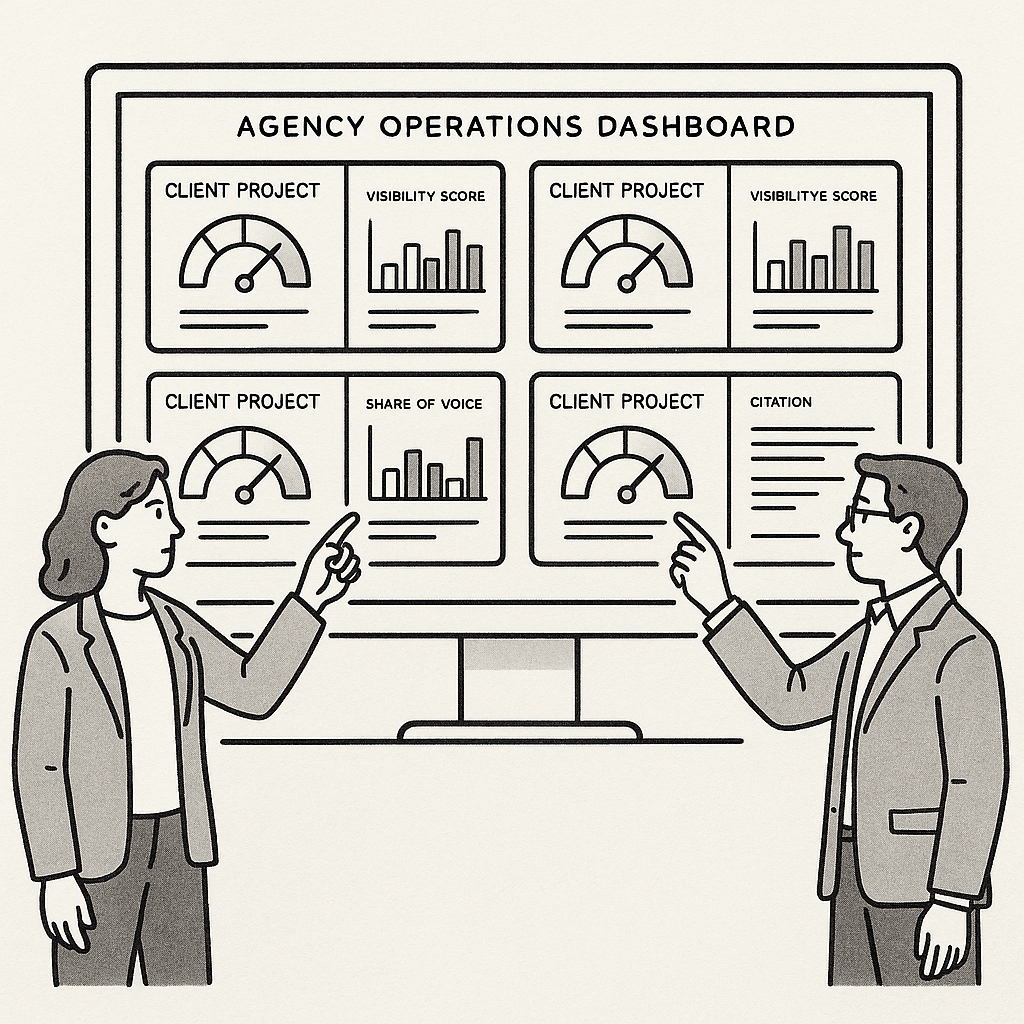
For agencies managing multiple client domains, the practical constraint is that this sequence must be run per property, and the findings ranked per property. A template-level noindex that affects 8,000 pages on one client is invisible on another. Alef's Site Health audit is built to surface exactly this ranked list per domain, so the highest-impact failures across a portfolio rise to the top rather than being buried in a flat export of every issue a crawler can detect.
Common Mistakes That Undermine a Site Audit
A technically accurate audit can still produce poor outcomes when the remediation process itself is flawed. The following errors appear repeatedly across multi-client portfolios, and each has a specific countermeasure.
- Fixing everything at once. Remediating every warning in parallel makes it impossible to attribute a ranking or traffic change to any single fix; sequence work by impact tier instead, so each release has a measurable cause and effect.
- Trusting the crawler over field data. Lab scores from a crawler can diverge sharply from real-user Core Web Vitals, so the Search Console field report should govern speed prioritization, with lab tools used for diagnosis rather than verdicts.
- Deleting instead of canonicalizing. Removing duplicate URLs outright destroys accumulated link equity and engagement signals, whereas a canonical tag consolidates those signals onto the preferred URL.
- Ignoring the mobile rendering. A fix verified only in a desktop viewport can fail on the mobile-first index; validate every template at mobile widths before closing the ticket.
- Marking up content that is not visible. Schema describing hidden or absent content risks a manual action for structured-data spam, so markup must mirror what a user actually sees.
- Auditing once and never re-checking. Indexation and speed regress silently after every deploy, which is why the audit must be a recurring cycle rather than a one-off project.
- Reporting raw issue counts to clients. A client cares about the readiness score and the ranked fix queue, not 400 undifferentiated warnings; framing findings as prioritized actions keeps the engagement defensible.
These process failures compound one another, which is why the technical and content side of an AI-era SEO strategy treats sequencing and verification as first-class disciplines rather than afterthoughts.
Summary Table: 15 Audit Issues, Impact, and Expected Outcome
The table below consolidates all 15 issues from the preceding checklist into a single reference an agency can paste directly into a client deck. Impact tiers follow one rule: Critical issues remove URLs from search entirely, High issues suppress rankings or click-through on indexed pages, and Medium issues refine performance without gating it. Every metric listed is verifiable in Google Search Console, a crawler, or field data, and the full workflow behind these rows is documented in Alef's solutions overview.
| # | Issue | Impact tier | Primary metric to watch | Expected outcome after the fix |
|---|---|---|---|---|
| 1 | Accidental noindex or robots.txt blocks | Critical | Indexed pages vs. submitted URLs in the Page indexing report | Zero blocked key directories; all target URLs eligible for indexing |
| 2 | Broken internal links and 404 chains | Critical | Crawl errors per crawl; orphaned URL count | Crawl errors reduced to zero on priority templates; link equity restored to target pages |
| 3 | Redirect chains and loops | Critical | Redirect hops per URL; crawl budget consumed | Single-hop 301s; crawl requests per page reduced to one |
| 4 | Canonical conflicts and duplicate content | Critical | Duplicate, Google-selected canonical count | One canonical per URL; duplicate cluster consolidated to the preferred version |
| 5 | XML sitemap errors and stale URLs | High | Valid URLs in sitemap vs. indexed count | Sitemap contains only 200-status canonical URLs; 100% index coverage on priority pages |
| 6 | Server errors (5xx) under crawl load | High | 5xx response rate; crawl error trend | 5xx rate at zero during peak crawl windows |
| 7 | Slow server response (TTFB) | High | Time to first byte | TTFB under 0.8s on cached HTML responses |
| 8 | Failing Core Web Vitals | High | LCP, INP, CLS in field data | LCP under 2.5s, INP under 200ms, CLS under 0.1 |
| 9 | Mobile usability failures | High | Mobile usability error count | Zero mobile usability errors; tap targets and viewport pass |
| 10 | Missing or duplicated title tags | High | Titles flagged as missing or duplicate | Unique title on 100% of indexable URLs |
| 11 | Thin or missing meta descriptions | Medium | Descriptions missing or auto-generated | Unique description on all priority URLs; CTR lift measurable in Search Console |
| 12 | Heading hierarchy gaps | Medium | Pages with zero or multiple H1s | One descriptive H1 per page; logical H2/H3 nesting |
| 13 | Missing or invalid structured data | Medium | Rich result eligibility errors | Zero schema validation errors; eligible pages surface as rich results |
| 14 | Oversized, unoptimized images | Medium | Image bytes per page; LCP element weight | Hero images under 200KB in modern formats; LCP element weight reduced |
| 15 | Missing alt text and weak internal anchors | Medium | Images without alt attributes; generic anchor count | Descriptive alt on all content images; anchors name the destination |
Rows 1 through 4 are the only ones that can make a page disappear from search results entirely, which is why they sit above speed and metadata work despite the latter's higher visibility in audits. Google's guidance on Core Web Vitals thresholds confirms the 2.5s, 200ms, and 0.1 targets used in row 8, and INP replaced First Input Delay as the responsiveness metric in March 2024 per web.dev's INP documentation. For row 5, Google's sitemap guidelines restrict sitemaps to canonical, indexable URLs, which is why stale entries dilute crawl signals. Alef's Site Health audit surfaces this same ranked list per client domain, so the tiering above maps directly to the readiness score used to sequence
Conclusion
The ranking logic behind this SEO site audit checklist is deliberate: crawl and indexation failures first, because a blocked or noindexed URL cannot rank at all; page speed and mobile usability next, since they shape whether indexed pages perform; duplication and internal linking after that, as they govern how equity and relevance distribute; and metadata and structured data last, as the polish layer that refines already-healthy pages. The sequence matters more than the individual fixes.
The audit itself is a cycle, not a project. Every significant deploy warrants a re-crawl, a re-inspection of affected URLs in the Page indexing report, and a fresh score — because a single template change can reintroduce a canonical error across hundreds of pages.
For agencies, that discipline is what makes twenty client domains manageable: a templated, ranked checklist turns an open-ended investigation into a repeatable process. Alef's Site Health audit surfaces that ranked list per domain, so triage starts from evidence rather than instinct.
Key takeaways - Fix crawl and indexation failures before anything else — blocked pages cannot rank. - Treat the audit as a recurring cycle: re-crawl, re-inspect, and re-score after every significant deploy. - A templated, impact-ranked checklist is what keeps multiple client domains manageable. - Metadata and structured data are the final polish layer, not the starting point.
Frequently Asked Questions
How often should an agency run an SEO site audit?
A full audit pass belongs on a quarterly cadence, with a lightweight crawl triggered after every major deploy. Indexation and speed regress silently: a staging noindex tag that survives a release, a redirect chain introduced by a CMS migration, or a render-blocking script added to the template can all degrade performance without any visible symptom in analytics. Quarterly full passes catch slow drift; post-deploy crawls catch the acute breaks that a three-month gap would leave live for weeks.
What is the difference between a technical SEO checklist and a website health audit?
A technical SEO checklist covers crawl and index mechanics — robots.txt directives, canonical tags, XML sitemap coverage, status codes, and Core Web Vitals thresholds such as the Interaction to Next Paint metric. A website health audit is broader: it adds content structure, answer readiness for AI answer engines, and a single readiness score that rolls dozens of signals into one comparable number per domain. For agencies managing multiple clients, that consolidated score is what makes cross-account prioritization possible.
Which audit issue should be fixed first?
Blocked crawl paths and indexation errors come first, because a page that cannot be crawled or indexed cannot rank regardless of its other qualities. The Page indexing report in Search Console is the fastest way to confirm whether valid pages are being excluded, and a correctly built sitemap is the fastest way to confirm what the site is actually declaring to crawlers. Speed, metadata, and structured data only matter once the URL is eligible to appear at all.
Do AI crawlers need separate robots.txt rules from Googlebot?
Yes. GPTBot, PerplexityBot, and similar agents carry their own user-agent tokens, and a robots.txt rule written only for Googlebot leaves those crawlers unaddressed. If a brand wants AI citations, those agents must be allowed explicitly rather than inherited by default. Tracking how AI-referred traffic behaves once access is granted is a distinct discipline from rank tracking, which is why AI search visibility and Google rankings require separate measurement.
How many issues should a healthy site have?
There is no universal number, and any vendor quoting one is oversimplifying. The meaningful measures are the trend in the readiness score and the count of Critical-tier issues, which should trend toward zero quarter over quarter. A site with 40 low-severity notices and no critical findings is healthier than one with three critical indexation failures buried under a clean-looking total.
Call to Action
The fastest way to move from a flat list of warnings to a prioritized fix queue is to run Alef's Site Health audit on a single client domain. The result is a ranked, impact-ordered set of issues paired with a readiness score, so remediation effort tracks directly to crawl, indexation, and Core Web Vitals exposure rather than to whichever error happens to appear first. The next step is straightforward: start the Site Health audit at alef.ink, where a free trial provides the entry point.
Sources
- Google Search Central — Core Web Vitals and page experience
- web.dev — Interaction to Next Paint (INP)
- Google Search Central — Page indexing report (Search Console help)
- Google Search Central — Build and submit a sitemap
- Google Search Central — Robots.txt specifications
- Google Search Central — Intro to structured data
- Google Search Central — Consolidate duplicate URLs (canonicalization)
- Google Search Central — Mobile-first indexing best practices